Qt Development Services
Build high-performance, cross-platform HMIs and apps with Beetroot’s Qt app development expertise. Our engineers combine C++ proficiency with UX and testing support to help move products from concept through production.
-

Top 1% of global
Software Service providers -
ISO 27001 certification
by Bureau Veritas
-

GDPR-Compliant processes
for responsible data protection -

AWS trusted infrastructure
for scalable solutions -

Bureau Veritas —
an independent global leader in testing, inspection, and certification.
From Fragmented Devices to Unified Experiences: How Qt Eases Product Roadblocks
Building a modern product across mobile, desktop, and embedded screens often stalls on fragmentation, performance debt, and staffing gaps. Qt development gives teams a cross-platform foundation for sharing code and UI components across multiple targets while keeping platform-specific needs in view.
-
Unified delivery
Qt lets teams share C++ business logic and QML components across desktop applications, mobile UI, and embedded GUI targets. Reusing a common codebase where practical can reduce duplicated development and help keep product experiences consistent.
-
Performance where it matters
Native C++ and Qt’s graphics stack give teams fine-grained options for performance optimization on embedded Linux and other constrained devices. Profiling and hardware-specific tuning help address demanding rendering, data-processing, and interaction workloads.
-
Access to specialist skills
Experienced Qt developers can help close gaps in C++, QML, embedded UI, and cross-platform delivery. Mature tooling and an established Qt ecosystem also make it easier for teams to maintain and evolve the software over time.
-
Less duplicated tooling and effort
Qt Creator combines coding, building, debugging, profiling, and analysis workflows into one development environment. With reusable cross-platform components, it can reduce duplicated work involved in maintaining separate applications for different targets.
-
More systematic quality checks
Qt Creator integrates static-analysis and diagnostic tooling that can help teams catch C++, QML, and Qt-specific issues earlier. Automated testing, code analysis, and project auditing can then form part of a broader quality process based on the product’s requirements.
-
Room to evolve
Qt’s modular architecture and cross-platform APIs support products that need to add features or target new devices over time. Upfront architecture guidance and scalability planning help teams decide what to share across platforms and where target-specific implementation makes more sense.
Need insight on where Qt fits in your roadmap?
Qt Services for Cross-Platform and Embedded Products
Qt projects often span UI design, C++ logic, device integration, testing, and long-term maintenance. Depending on your product and internal capacity, Beetroot can support the parts of that lifecycle where you need additional engineering expertise.
-

Cross-Platform Product Engineering
Products that need to reach desktop, mobile, and embedded targets benefit from a shared architecture without assuming every layer can be reused unchanged. We build Qt apps around reusable C++ logic and QML components, with platform-specific adaptations and testing where each target requires them.
-
GUI & HMI Design
Clear, responsive interfaces matter especially when screen sizes, input methods, and hardware constraints vary. Our designers and engineers prototype interaction flows and build QML-based HMIs with tools such as Qt Design Studio, adding accessibility and target-specific checks when needed.
-
Mobile & Embedded Qt Delivery
Mobile and embedded solutions have different deployment, memory, and hardware constraints even when they share product logic. For Qt mobile development, we can adapt shared components for iOS, Android, and embedded Linux, integrate device interfaces, and tune startup, memory use, and rendering for the target environment.
-
Code Refactoring & Migration
Legacy Qt, C++, or MFC code can often be modernized incrementally rather than replaced in one rewrite. We can separate business logic, migrate UI layers toward QML where appropriate, add automated tests, and factor licensing requirements from The Qt Company into technical planning.
-
Performance & Security Auditing
When latency, crashes, or memory issues are hard to trace in a Qt software development project, targeted analysis can help pinpoint the problem. Our engineers review threading, rendering, build configuration, and memory behavior using profiling, static analysis, and testing techniques, including security assessment when the scope requires it.
-
Embedded Integration & Runtime Porting
Custom boards and embedded Linux environments often need more than application-level UI work. We adapt Qt technology to the target BSP, graphics stack, and device interfaces, handling cross-compilation, system integration, and runtime porting with hardware-specific validation.
-
Continuous Support & DevOps
Sustainable Qt products may need continued testing, release automation, observability, and maintenance as devices and dependencies change. Where ongoing support is part of the engagement, our Qt software development services may include CI/CD setup, automated testing, release workflows, and operational support matched to the product environment.
-
Custom Workshops & Team Training
Focused training can be useful when the team needs to close a specific skills gap or work through a recurring delivery problem. We can tailor sessions to the team’s current context, from UI architecture and QML workflows to debugging and development and release practices, to help participants build the practical skills they need for effective daily work.
-
Need Qt support across more than one part of your product lifecycle?
Flexible Cooperation Models for Qt Projects
Choose a cooperation model that fits your roadmap, internal capacity, and level of ownership. Whether you need ongoing engineering support, delivery within a defined scope, or targeted team training, our Qt services can adapt to your business goals.
-
Dedicated Development Teams
Long-term cooperationWhen hiring delays or a growing roadmap threaten to slow you down, a dedicated Qt team provides the extra engineering capacity you need. Beetroot handles recruitment, retention, and support, while your team stays in full control of priorities, backlog decisions, and daily work.
-
Project-Based Solutions
Defined scope and deliveryFor targeted initiatives like HMI development, runtime porting, or performance upgrades, a project-based approach keeps work bound to fixed goals and timelines. Our team handles the entire lifecycle, from planning and coding to testing and handover, based on your preferred delivery model.
-
Custom Tech Workshops
Focused team upskillingRather than following a rigid curriculum, custom training addresses the exact skills your team needs. Workshops are designed around your specific Qt architecture, team experience, and active projects so you can solve bottlenecks faster.
Not sure where to start? We’ll help you find the cooperation model that fits your priorities
Technologies and Tools We Use
Our Qt projects draw on framework components, design tools, build systems, testing utilities, and CI/CD tooling selected around the target platform and existing development environment. Example technologies include:
-
Qt Frameworks & UI
- Qt Widgets
- Qt Quick
- Qt for MCUs
- Qt WebEngine
- Qt Lottie
-
Languages & Data
- C++
- QML
- JavaScript
- JSON
-
Development & Design
- Qt Creator IDE
- Qt Design Studio
-
Build, Dependencies & Embedded Linux
- CMake
- qmake
- Conan
- Yocto Project
-
Testing & Profiling
- Squish
- Catch2
- GoogleTest
- Valgrind
-
CI/CD & Containers
- GitHub Actions
- GitLab CI
- Jenkins
- Docker
When is Qt a smart choice for your roadmap?
Qt is a strong fit when a product needs to span multiple screens, run within tight hardware constraints, or reuse core functionality across embedded, desktop, and mobile targets. Its C++ toolkit, QML UI layer, and cross-platform framework give teams a common foundation while leaving room for target-specific performance tuning and system integration.
-
Embedded GUI & HMI
A Qt HMI can be a good fit when responsive graphics need to run on constrained or embedded hardware. Qt Quick’s scene graph and hardware-accelerated rendering give engineers options to tune interface performance for the target device.
-
Shared code across multiple targets
Desktop, mobile, and embedded products can reuse business logic and UI components from a common codebase, reducing duplication where platform requirements overlap. Target-specific adaptations and testing remain important for each environment.
-
Fine-grained performance control
C++ gives engineers direct control over memory, threading, and native APIs for workloads such as real-time visualization, sensor processing, and other high-performance software. Qt adds cross-platform UI and application tooling on top of that native foundation.
-
A mature foundation for long-lived products
Qt’s mature ecosystem, modular architecture, and LTS options make it a practical choice for products expected to evolve over many years.
Wondering if Qt is the right fit for your product?
Qt vs. Electron vs. Flutter: Choosing the Right Cross-Platform Toolkit
All three frameworks support cross-platform development, but they differ in runtime footprint, native integration, tooling, and the platforms they suit best. Qt offers fine-grained C++ control and strong embedded support, Electron builds on familiar web technologies, while Flutter provides a unified UI framework across mobile, desktop, and other supported targets. The right choice depends on your device constraints, existing skills, and long-term product plans.
Runtime Performance & Footprint
Native C++ and Qt’s graphics stack give teams substantial control over runtime performance and resource use. This makes Qt a strong option for embedded GUIs, industrial HMIs, and other performance-sensitive applications.
Native Access & System Integration
C++ and Qt APIs support close integration with operating systems, graphics stacks, and native libraries. Qt also provides APIs for areas such as CAN through relevant modules, while lower-level hardware interfaces may still require platform-specific code or libraries.
Team Skills & Tooling
Mature C++ and QML tooling supports UI development, debugging, profiling, and performance optimization, with Qt Creator providing an integrated development environment for Qt projects.
Long-Term Maintainability & Licensing
Qt offers commercial and open-source licensing, with LGPL or GPL terms depending on the modules used. LTS options and a mature ecosystem can suit long-lived products, but licensing, version support, hardware dependencies, and upgrade planning should be evaluated for the specific product.
Runtime Performance & Footprint
Its Chromium and Node.js runtime generally requires more memory and storage than native frameworks. That trade-off may be reasonable for desktop products where web technology reuse and development speed matter more than a minimal runtime footprint.
Native Access & System Integration
Node.js APIs, native modules, and C++ add-ons provide access to deeper system capabilities. Native integrations introduce additional components that teams need to maintain across operating-system and Electron updates.
Team Skills & Tooling
JavaScript, HTML, and CSS make Electron accessible to teams with existing web expertise, while familiar browser development tools support debugging and inspection.
Long-Term Maintainability & Licensing
Electron is open source and benefits from the broader Chromium and Node.js ecosystems. Regular framework and Chromium updates still require dependency, compatibility, and security maintenance over the product lifecycle.
Runtime Performance & Footprint
Flutter provides strong UI performance on supported mobile and desktop platforms, with its own rendering stack and compiled Dart code. Resource requirements and embedded support depend more heavily on the target platform and implementation.
Native Access & System Integration
Platform channels and native plug-ins provide access to platform-specific capabilities. Custom integrations add implementation and maintenance work when the required functionality is not already covered by the ecosystem.
Team Skills & Tooling
Dart, Flutter DevTools, and IDE integrations provide established workflows for UI development, debugging, profiling, and hot reload. Teams without Dart experience should factor the learning curve into hiring decisions.
Long-Term Maintainability & Licensing
Flutter is open source and has an active release cycle backed by a large ecosystem. Long-lived products still need regular dependency and framework updates, particularly when platform APIs or supported versions change.
Not sure which framework best fits your product requirements?
Meet Your Team
Whether you need C++ expertise, embedded engineering, cross-platform UI development, or stronger testing and delivery capabilities, Beetroot can connect you with specialists whose experience fits your product and technical environment.







Our Qt Development Process
From early requirements to deployment, a clear process helps keep product, platform, and performance decisions aligned. Depending on the project, the work may include prototyping, automated testing, hardware validation, and performance tuning before release.
-
Discovery & Requirements
Step 1We start by clarifying business goals, target platforms or hardware, technical constraints, and success criteria. The findings guide scope, priorities, architecture decisions, and the delivery plan for the work ahead.
-
UX/UI & HMI Prototyping
Step 2For interface-heavy products, early prototypes help validate navigation, interaction patterns, and usability against the target screen and device constraints. Stakeholder feedback at this stage can resolve important UX questions before implementation goes too far.
-
Architecture Blueprint
Step 3Engineers define module boundaries, data flows, platform dependencies, and other architecture decisions that shape the implementation. The design also accounts for portability, performance requirements, hardware integration, and future product changes.
-
Incremental Development
Step 4Development brings together C++ application logic, QML or Qt Widgets interfaces, and platform-specific integrations as required. Code reviews, shared conventions, and automated checks help keep implementation consistent as the product evolves.
-
CI / CD & Automated Testing
Step 5Where the delivery setup supports it, CI/CD pipelines automate builds, code checks, and relevant test suites across target environments. Unit, integration, and UI testing can be combined with emulator or device-based testing depending on the product.
-
Device Integration & Performance Tuning
Step 6For embedded and performance-sensitive products, engineers test the software on representative hardware and profile areas. Results guide targeted optimization against the performance criteria agreed for the project.
-
Deployment & Release Management
Step 7Shipping software looks different across desktop, mobile, and embedded hardware. We configure target-specific release controls, including versioning, packaging, staged rollouts, and OTA updates, to fit your delivery setup.
-
Post-Launch Support & Evolution
Step 8When post-release support is included, our engineers stay involved to fix bugs, optimize performance, manage dependency upgrades, and roll out new capabilities. We adjust our focus as your software, hardware, and roadmap evolve.
Why Choose Beetroot as a Qt Software Development Company
Choosing a Qt partner is also about how the team communicates, adapts, and works with you over time. Beetroot combines technical delivery with a people-first approach, flexible cooperation, and access to expertise across adjacent disciplines to build robust cross-platform solutions.
-
Aligned in Work & Culture
A strong technical match matters, but so does how people communicate and collaborate. We consider team fit and soft skills alongside engineering experience when bringing specialists into a project.
-
Clear Communication
You should have a clear view of progress, open questions, and decisions that need your input. Our teams adapt to agreed communication routines and keep priorities, dependencies, and risks visible throughout the work.
-
Flexible Ways to Work Together
Some projects need long-term engineering capacity, while others have a defined scope or a narrower technical challenge. The cooperation model can reflect your internal capacity, roadmap, and the level of ownership you want to keep within your team.
-
Cross-Technology Expertise
Qt products rarely exist in isolation and may also involve embedded hardware, backend systems, UX, QA, cloud infrastructure, or DevOps. Access to specialists across related areas helps address those dependencies as part of the wider product rather than treating the Qt layer separately.
-
Sustained Delivery & Support
Long-lived products benefit from retaining technical context and shared ways of working as priorities change. When cooperation continues beyond an initial milestone, we focus on maintaining that continuity rather than repeatedly starting from scratch.
-
Tailored Engineering Practices
The right level of testing, documentation, code review, security work, and delivery automation depends on the product and its risk profile. We shape those practices around the engagement rather than applying the same checklist to every project.
What Our Clients Say
We’ve partnered with teams across a wide range of technologies, industries, and project scales. Here’s what our clients say about working with us, from daily communication to long-term support.

Featured Cases
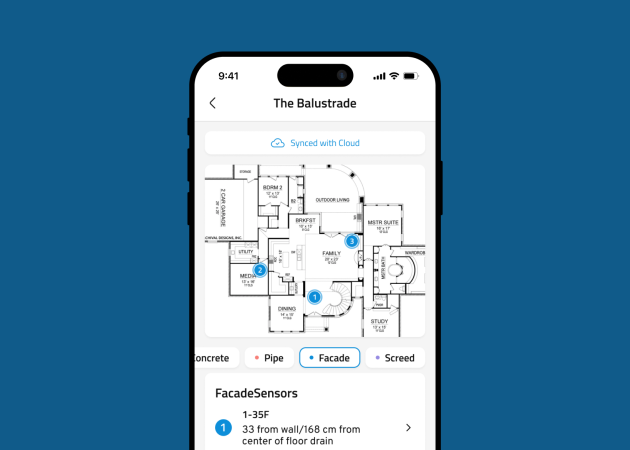
See how our teams have supported different product challenges, from sensor-based mobile experiences and alarm handling to accessible communication and remote patient monitoring.

Custom Tech Workshops for Your Team
Custom training works best when it targets a specific skill gap or technical bottleneck. For Qt teams, sessions can focus directly on your current codebase challenges, daily engineering roadblocks, or the exact skills needed for upcoming features. Key benefits of custom workshops:
-
Focus on relevant skill gaps
Workshop content centers on the knowledge or practical skills the team needs to strengthen rather than following a fixed curriculum.
-
Connect learning with real work
Hands-on exercises and discussion make it easier to connect new approaches to the product and engineering challenges the team already works through.
-
Match the team’s context
The depth, examples, and focus reflect the existing technology stack, workflows, and level of experience.
Start Building Your Project
Have a Qt project or technical challenge to discuss? Fill out the form, and we’ll get back to you to explore the next steps with you.

FAQs
Find clear answers to common planning questions around Qt projects, from cost and platform choices to performance, timelines, and version support.